
Introduction
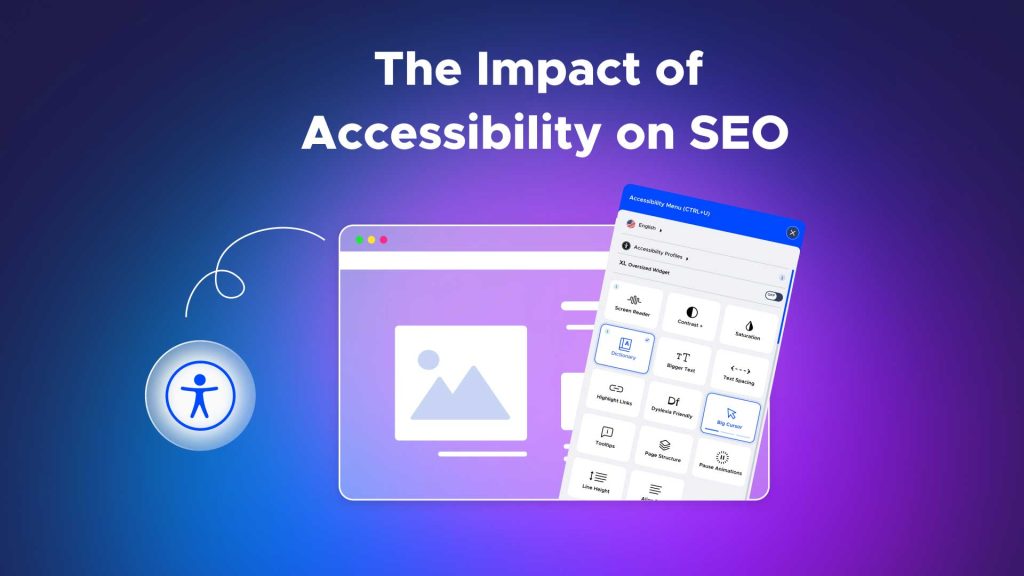
It has long been believed that the purpose of online accessibility is to make digital content accessible to people with impairments. However, accessibility goes much beyond a legal need because it is a fundamental component of well-designed websites that enhance search engine optimisation (SEO) and benefit all users. The benefits of accessibility for search engine optimisation (SEO) and user experience (UX) are examined in this article.
Understanding Web Accessibility
Designing and creating websites, tools, and technologies to be usable by individuals with impairments is known as web accessibility. This covers users who have cognitive, motor, auditory, or visual impairments. In order to create an inclusive digital experience, accessibility features like keyboard navigation, screen reader compatibility, and alternate text are essential.
Key Accessibility Standards:
• The principles of accessibility—Perceivable, Operable, Understandable, and Robust (POUR)—are delineated in the Web Content Accessibility Guidelines (WCAG).
• There are three degrees of compliance: A, AA, and AAA; AA happens the most commonly used norm.
The Connection Between Accessibility and SEO
While SEO aims to make sure a website performs highly on search engines like Google, accessibility concentrates on usability for everyone. Because search engines favour well-structured, user-friendly websites, these two objectives overlap. Accessibility features frequently complement SEO best practices, resulting in a mutually beneficial situation.
Accessibility Features That Boost SEO
1. Alternative Text for Images (Alt Text)
For screen readers, alt text provides a description of an image’s content. This characteristic is crucial for image search optimisation as search engines utilise it to comprehend the information of images.
How It Benefits:
• Increases the discoverability of images on sites such as Google Images.
• Improves the alt text’s ranks for long-tail keywords.
Example:
A shoe-selling e-commerce website, for instance, may employ descriptive alt text such as “Black leather running shoes for men – lightweight and durable.”
2. Proper Heading Hierarchy
Screen readers can more easily browse a page when headers (H1, H2, H3, etc.) are organised logically. This structure is also used by search engines to comprehend the relevancy and hierarchy of the information.
How It Helps:
• Makes material easier for all readers to read
• Makes keyword prioritisation better for SEO.
Example:
Google’s crawlers and users can both swiftly find important subjects in a blog article with a clear header structure.
3. Descriptive Link Text
Links that say “Click here” or “Read more” are not only ineffective for improving accessibility, they also reduce the efficacy of SEO. Both visitors and search engines benefit from descriptive link language, which gives context about the referenced item.
How It Helps:
• Boosts internal linking, a crucial SEO component
• Enhances navigation for screen reader users.
Example:
Rather than putting “Click here for more,” write “Explore our beginner’s guide to SEO optimisation.”
4. Video and Audio Accessibility
For users with hearing problems, accessibility is ensured by providing captions and transcripts for audio and video material. By enabling the indexation of multimedia information, these capabilities help improve SEO.
How It Helps:
• By meeting a range of user demands, it raises engagement.
• Improves keyword optimisation because transcript text may be indexed by search engines.
Example:
A web development YouTube instructional with precise subtitles has a higher chance of ranking for relevant keywords.
5. Keyboard Navigation
Websites that are keyboard-friendly guarantee that users who are unable to use a mouse may still access the content. This usability enhancement supports Google’s focus on UX-friendly and mobile-friendly designs.
How It Helps:
• It raises SEO ranks indirectly by improving site speed and usability scores.
• Lowers bounce rates while increasing user happiness.
Enhanced User Experience Through Accessibility
Creating a smooth and pleasurable online experience is the shared objective of accessibility and user experience. Websites that are accessible guarantee that users of all abilities may interact with the material in an efficient manner.
Key UX Improvements from Accessibility:
• Quicker Navigation: Clear layouts and logical arrangements save cognitive burden.
• Broader Usability: Older people or users in difficult-to-use circumstances (like intense sunshine) might benefit from features like bigger fonts or high contrast themes.
• Less Frustration: Abandonment rates are decreased when accessibility restrictions are addressed.
Why Accessibility and SEO are Vital for Business Success
1. Expanding Your Audience
The World Health Organisation (WHO) estimates that more than one billion people worldwide are disabled. Ensuring your website is accessible not only serves this group but also attracts people who benefit from an inclusive design.
2. Legal Compliance
Laws pertaining to digital accessibility, such the European Accessibility Act (EAA) and the Americans with Disabilities Act (ADA) in the United States, are enforced in several nations. Lawsuits, penalties, and harm to one’s reputation may result from noncompliance.
3. Competitive Advantage
Due to their user-friendliness and search engine optimisation, accessible websites frequently perform better than their rivals.
Tools to Audit and Improve Accessibility
Use these resources to make sure your website is both search engine optimised and accessible:
• Google Lighthouse: Assesses SEO, accessibility, and site performance.
• The WAVE Web Accessibility Tool draws attention to web page accessibility issues.
• SE Ranking: Provides information about technical SEO problems that are related to accessibility.
Case Studies: Accessibility Enhancing SEO and UX
1. Domino’s Pizza
Following an ADA compliance litigation, Domino’s made improvements to the accessibility of their website. In addition to resolving legal issues, the modifications improved user experience and increased online sales.
2. The BBC
The BBC makes sure all audiences can use its material by adhering to stringent accessibility rules. Their dedication to accessibility has contributed to their continued strong search engine rankings and engagement.
Challenges and Solutions in Implementing Accessibility
1. Challenge: Complexity of Retrofitting Older Websites
Solution: Start with high-impact changes like alt text, heading structures, and keyboard navigation.
2. Challenge: Balancing Design and Accessibility
Solution: Use accessible design principles that do not compromise aesthetics, such as responsive layouts and readable fonts.
3. Challenge: Maintaining Accessibility During Updates
Solution: Conduct regular audits and train development teams on accessibility best practices.
The Future of Accessibility and SEO
Accessibility will become more important in SEO and UX tactics as voice search, artificial intelligence, and augmented reality become more widely used. Early adapters will have higher engagement, retention, and conversion rates.
Emerging Trends:
• Voice Search Optimisation: Smart assistants can better understand and react when material is easily accessible.
• AI-Powered Accessibility: Real-time translation and auto-captioning are two examples of tools that enhance inclusiveness.
• Inclusive AR/VR Experiences: Brands will stand out if they make sure virtual worlds are accessible to individuals with impairments.
Conclusion
Web accessibility is becoming a competitive benefit rather than only a moral or legal need. Businesses may increase user experience, attract a larger audience, and improve SEO performance by improving accessibility. Investing in accessible design is an investment in a future where optimisation, usability, and inclusion coexist.